How Smart Workflows and AI are Streamlining Audio Production
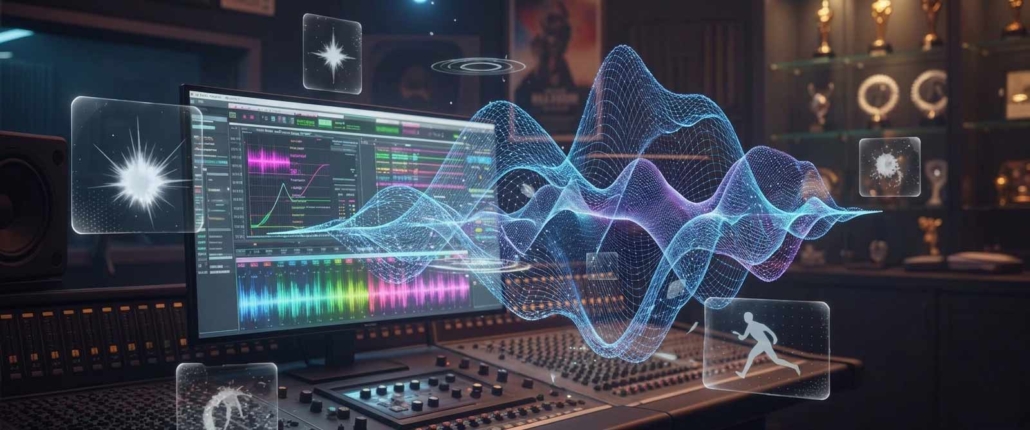
Shorter turnaround times for on-demand content are creating new streamlined audio production workflows. Studios and distributors expect faster turnaround times than ever before, and that front-end production bottleneck can derail your schedule before you even start.
Fast is great, but frantic isn't productive. Implementing a few simple organizational steps during production and applying automation as soon as you receive a project will streamline your process.
Don't let tweaking your workflow mean altering your creativity or how you work.
Old Ways Vs New Ways: The TravSonic Evolution
When we first launched TravSonic Audio Production over two decades ago, everything in the studio and production room was entirely manual. You would manually organize session files, color code tracks, set gain staging, keep track of cues, and write down information on paper or save it to disks. That old way took a huge amount of time and staff hours just to keep a project on track.
Similar to when we saw the digital recording revolution come to the masses. Think back to when recording gear first went digital. Affordable hardware and software put professional recording tools into everyone's hands.

Overnight, anyone could call themselves an audio engineer or a beat maker because the old physical barriers were gone. But owning software did not automatically make someone a producer. Downloading plugins did not replace a real understanding of sound and music.
Now we are seeing this happen with Artificial Intelligence (AI) and automation tools. Knowing how to implement these into your workflow is what separates you from others.
Prepping a project by hand used to be a days-long process, such as feature films. There was so much lag in that front end of the workflow.
With video companies now sending a batch of promo spots that need to be mixed by the next day, you have no time for bottlenecks. Using local scripts and utilities allows us to grab those files and prepare them to be sent to our engineers for professional online audio mixing. This ensures the turnaround is right on time. Something that could have taken you days, if not weeks, to prep and QC a job is done in a matter of minutes.
Protecting The Clients' Assets Locally
When AI became a thing, there were companies jumping on the train of public AI platforms. It quickly became obvious this was an issue. Now we are seeing many concerns with companies using data that others have uploaded to train their AI models—raising critical questions around digital rights and creator protections. It's become apparent that using local tools and keeping clients' unreleased assets off the internet is important.
After working on some huge productions with companies such as MGM and Amazon, we've had to pass many security tests to be able to produce for them.
When you know how to program your localized AI and scripts, you can avoid these issues and stay efficient in your workflow.
Standardizing Specs and Workflow
Crews, sound mixers, mixing audio engineers, and recordists can change from day to day. If you're not paying attention, you're going to have various specs, filenames, and folders that can be confusing once your files hit the studio.
Having a standard workflow and specifications for production can shave off days, if not weeks, in the post-production phase.
Why Preparation is Key in Audio Production
With audio production, you're always preparing for the unforeseen. It's no secret that when we were doing ADR for large films, we would spend an entire day setting up our mics, routing cables, and getting the room acoustics how we wanted. Sometimes we would spend up to 8 hours on prep for one hour of recording.
The recording is not where you spend the most time. It's in the prep. Streamlining your prep with automation reduces that time and allows you to focus on your creative sound design.
Using Smart Automation in Your Workflow
With all of the prep work that needs to be done on the front end of a workflow, smart automation for repetitive tasks can step in.
Incoming files adhering to specific specs allow you to put these programs to your advantage. Automating tasks eliminates the need to spend manual hours on them. Every episode or project you receive will be prepared the same way, with gain staging, color coding, and routing already set up, saving your engineer valuable time.
Here are a few targeted localized tools to weave into your post-production section:
SoundFlow: Custom DAW macro creation and Stream Deck integration. You can build custom workflows that color-code tracks, route stems, and apply templates with a single trigger.
Forte (fPost and fMusic by Forte AI): A specialized automation suite built for Pro Tools and Logic Pro that targets the pain of front-end session prep. Using local, on-device audio recognition, tools like fPost ingest incoming AAF files or messy project folders, classify tracks (grouping dialogue, music, Foley, and sound effects), and map everything directly to your custom studio template—handling routing, color-coding, and naming instantly without cloud exposure.
Keyboard Maestro: A powerhouse for macOS automation. It handles tasks outside the DAW—like automatically sorting incoming downloads, batch-renaming raw audio files into your naming convention, or launching your entire post-production template suite with one click.
AudioMove: A free, open-source batch processor specifically built for audio engineers. It is invaluable for bulk conversions, copying files while verifying checksums, and handling large folder structures before they ever hit the timeline.
DAW Native Scripting & Custom Python/Lua Extensions: Advanced engineers and studio developers use built-in scripting hooks—such as REAPER's ReaScript (Python, EEL, and Lua) or Pro Tools scripting APIs via SoundFlow—to build custom background daemons. These scripts can monitor an incoming folder, automatically slice dialogue, generate MIDI markers for slate/clap detection, or execute complex multi-track export routines with zero manual clicks.
You are the Orchestrator
Whether you work as a director, producer, audio engineer, or editor, you dictate how this technology shapes your workflow. These programs can do all of the grunt work for you while you sit back and enjoy what you're creating.
Technology will allow us to create these assembly lines for our work, allowing us to create better products.
Experience
So why is experience still needed? Because you're a human. There is nothing that can take the place of your experience. Humans will always have that organic feel to their work. No matter how sophisticated your scripts and repair tools are, your computer will never be able to mimic what you can bring to the table.
Allowing automation to handle the logistics will give you that extra time to focus on your mixes and make sure your products have that human touch. Learn more about our comprehensive audiobook and podcast editing or our specialized immersive spatial audio mixing workflows.